GmCat Software · Free Open source
GmCat Monitor
Your computer's mood, at a glance.
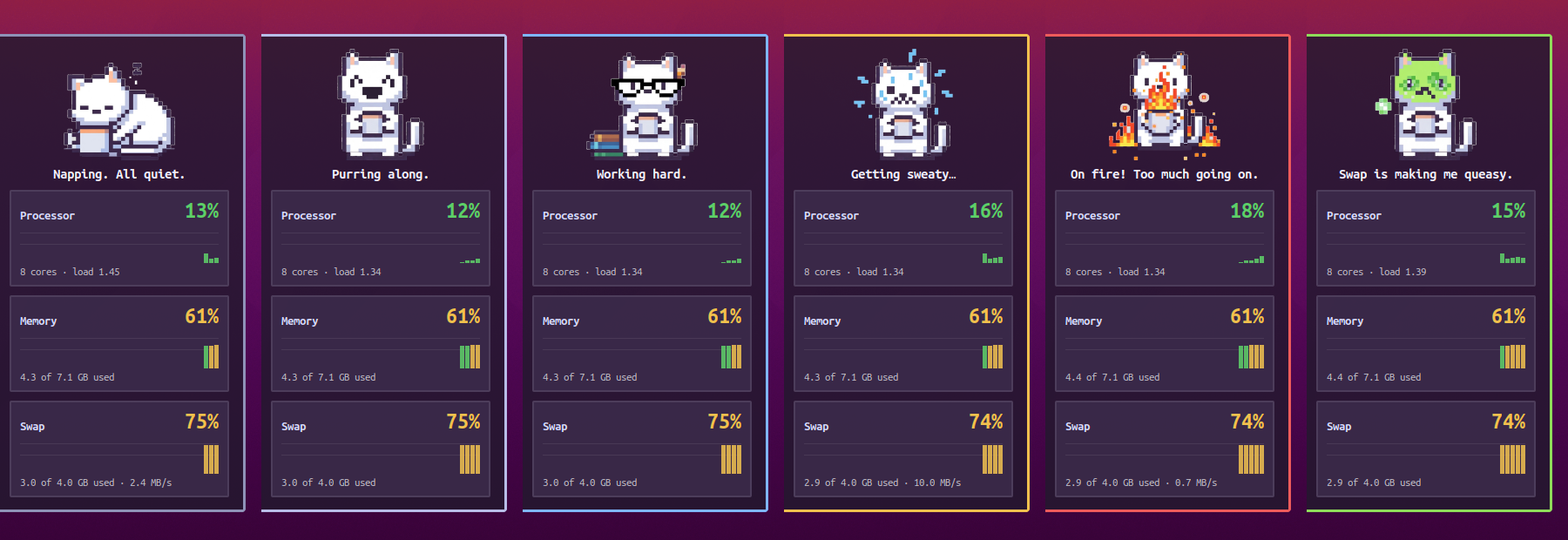
GmCat Monitor shows how busy your computer is, without opening anything. Processor, memory and swap live in your top bar, and a calm panel sits on your desktop behind your windows. Pick the GmCat look, where a pixel cat naps, works and sweats along with your machine, or a plain look.






Her moods
- NappingNothing much happening.
- Purring alongNormal use.
- Working hardProcessor or memory getting busy.
- Getting sweatyHeavy load.
- On fireToo much going on.
- QueasySwap is moving lots of data, so things may feel slow.
What it looks like
What it does
Top bar readout
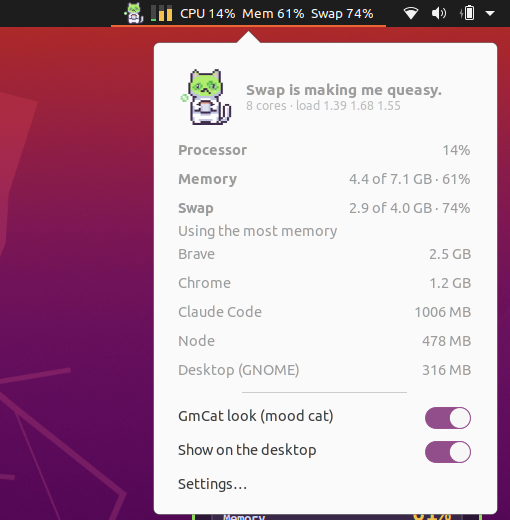
Processor, memory and swap numbers with tiny colored bars, always in view.
Desktop panel
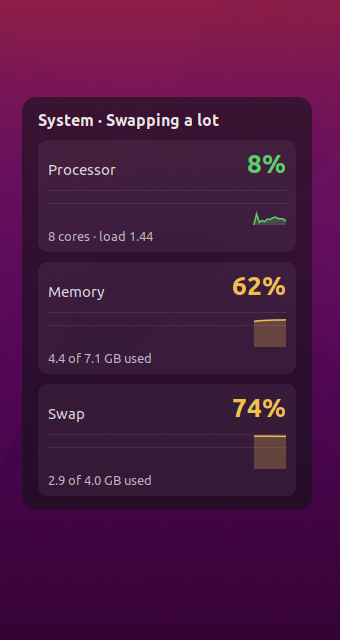
Live graphs on your wallpaper, behind your windows. Left or right side, any size.
Mood cat or plain
Switch looks in one click. The cat's frame color follows her mood.
What's using memory
The menu lists the five programs using the most memory right now.
Clear swap, safely (Linux)
A Clear swap button in the GNOME top bar menu. It checks first whether your computer has room, explains what clearing does, and only lets you go ahead when it's safe.
Light on your computer
It reads the system's own numbers every couple of seconds and adds almost no load.
Private by design
No account, no internet, no tracking. Nothing leaves your computer.
Download
Free. Files come straight from GitHub.
Windows
Version 0.2.0Windows 10 and 11. Tray icon + desktop panel. Installs just for you, no admin needed.
b824237d5ff8e76befbb79ce392327186291c99344cf1449a88f49b044c2b77bMac
Version 0.2.0macOS 11 or newer, Apple Silicon and Intel. Menu bar + desktop panel.
3af774fca8187eadacaca070a7a7f63ac54f21108e448f978da16487c6efc7e0Linux (GNOME extension)
Version 0.2.0Built into the GNOME top bar and desktop. GNOME 3.36 (Ubuntu 20.04); newer GNOME versions coming.
440c86c8b1946e21fbffa38aa6cdd692313d364ae1318fcf126844c13e11b6f1Linux
Version 0.2.0Ubuntu 22.04 or newer and similar. Tray icon + desktop panel.
85a20cffe5b69945e2e8d1c691cf820dc4e5aa2cbdfefb29b941beb2641f2f676a202b495642bba5026e40588ff73c11e4483803865228684c1af8243a592e8eAndroid
Version 0.2.0Live wallpaper, home-screen widget and an optional notification. Android doesn't let apps read the processor, so it shows memory, swap, battery and heat.
47cb2ddf2b769707792c66ecdebe4f961fb616797ccf131d19a0ffc7a543446a
Check it yourself
The full code is public at github.com/GmCat-dev/gmcat-monitor. Licence: AGPL-3.0 (free and open source).
Version 0.2.0, released 2026-11-26, built by GitHub from commit
6ac086c.
What it collects
Nothing. GmCat Monitor never goes online. It only reads your computer's own numbers.
Questions
Does it slow my computer down?
No. It reads a few numbers the system already keeps, every 2 seconds by default (you can make it slower in Settings), and draws a tiny panel.
What is swap?
When memory gets full, your computer moves things it isn't using right now onto the disk. That's swap. A full swap that isn't moving is fine. Lots of swap moving at once is what makes a computer feel slow, and that's when the cat gets queasy.
Can I turn the cat off?
Yes. Switch off 'GmCat look' in the menu, or pick Plain in Settings.
Why does my computer warn me when I open it?
GmCat Monitor isn't paid-signed yet, so Windows and Mac don't recognize it. See Install help for the safe way to open it, and Verify a download to check that your file matches the public code.